
Electronics Accessories & Media Storage
Connect a peripheral, organise a disc collection or set up a camera for one location. These accessories solve different everyday tasks: a USB hub needs the right ports, a media case needs the right storage format, and a camera needs a complete recording setup.
Shop the collection
-
500 Discs Aluminium CD DVD Cases Bluray
Regular price $93.70 AUDRegular priceUnit price per$158.70 AUDSale price $93.70 AUDSale -
Home Security Camera Wireless System
Regular price $56.70 AUDRegular priceUnit price per$83.70 AUDSale price $56.70 AUDSale -
240 Discs Aluminium CD DVD Cases Bluray
Regular price $68.70 AUDRegular priceUnit price per$113.70 AUDSale price $68.70 AUDSale -
USB 3.0 Type-C HUB 6 Port Powered Adapter Silver
Regular price $42.70 AUDRegular priceUnit price per$93.70 AUDSale price $42.70 AUDSale -
USB 3.0 Type-C HUB 6 Port Powered Adapter Grey
Regular price $46.70 AUDRegular priceUnit price per$90.70 AUDSale price $46.70 AUDSale


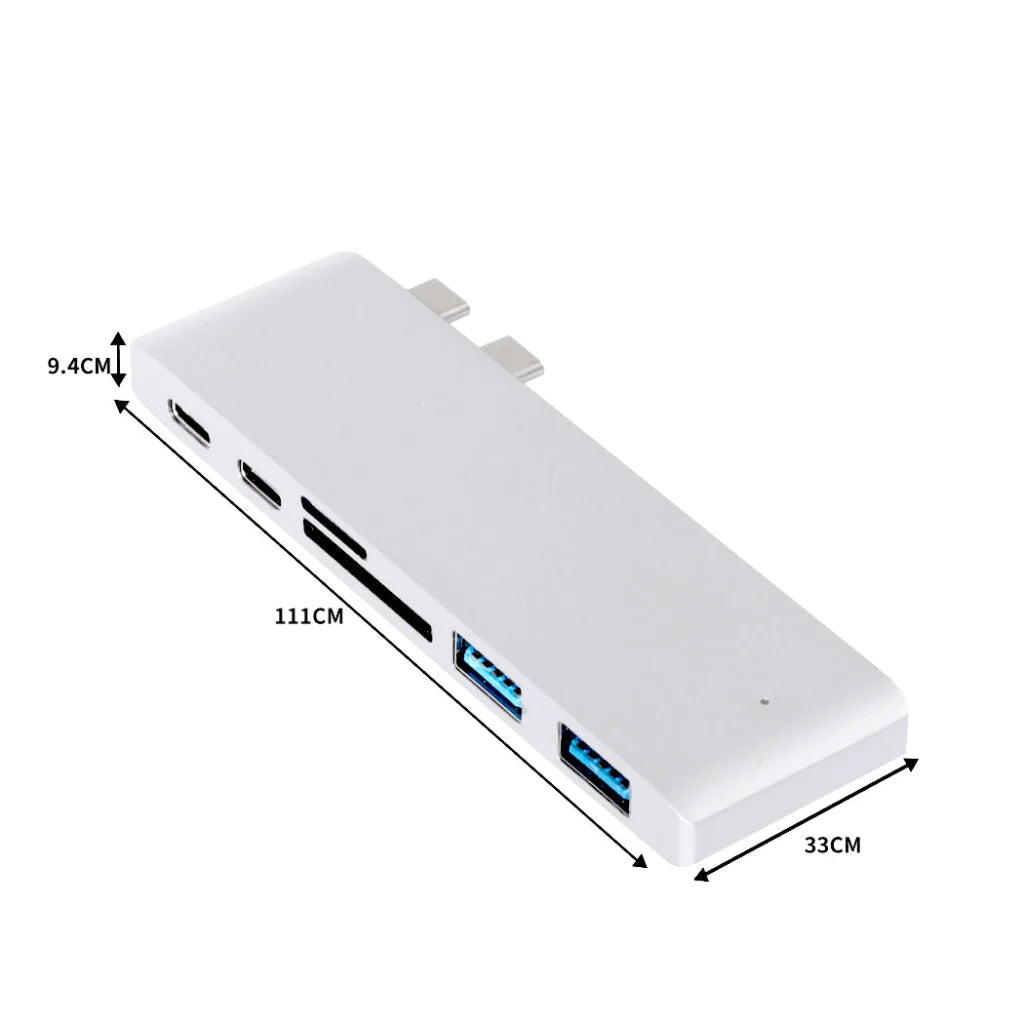


Choose a hub by the ports you will use
Count the actual devices you want to connect, including their power and data needs. A hub with several ports does not establish that every port supports display output or high-power charging. Compare the host connection and each port's role with the computer and peripherals.
Plan physical media storage
A disc case is useful when you want to keep a collection together, but its advertised disc count does not describe space for original retail boxes. Decide whether you will store loose discs, sleeves or complete cases, and leave room to retrieve them without bending or rubbing the media.
Understand a connected camera's ongoing needs
A camera may need continuous power, network coverage, a compatible app and separate storage. Local memory and cloud storage have different access and retention arrangements. Review those requirements before installation, then use supported updates and strong account security for the connected device.
Further reading: Australian Cyber Security Centre: securing your devices
Useful answers
Electronics Accessories & Media Storage: practical questions
How do I choose a USB hub for several peripherals?
List each connected device and whether it needs data, charging or a display signal. Compare the hub’s host connection and the role of each port. More sockets do not establish more power or every function, so plan the combination you will actually use.
Does a high-capacity disc case hold original DVD boxes?
A quoted disc count may refer to sleeves for loose discs rather than retail cases. Decide whether you want compact disc storage or to retain complete packaging. Compare the internal layout and keep covers or inserts separately if they are important to your collection.
What else does a small connected camera need besides a place to sit?
Plan its power, network connection, supported app and recording storage. Local memory and cloud services can have different access and retention arrangements. Check those continuing requirements before installation; a compact camera is still part of a connected system.