
Build the entertainment area around the way you watch and listen
Audio, TV & Home Entertainment
An entertainment setup combines the screen, sound, supporting furniture and connections. Start with the seating position and the equipment you already use. Then choose mounts, stands, speakers or accessories that work together, leaving practical access for cables, controls and ventilation.

Choose your entertainment setup
Explore screen support, projection, listening and gaming accessories.



Choose the screen position first
A television on furniture and a wall-mounted screen create different cable routes and storage needs. Compare the screen's fixing or feet with the support, and allow room for a soundbar or other equipment. Cabinet width alone does not establish the permitted television load.
Keep components accessible
Closed drawers hide small accessories, while open shelves make devices easier to reach. Equipment may need ventilation and a clear path for its remote control. Plan access to the rear connections before placing a heavy cabinet against the wall.
Connect sound and picture deliberately
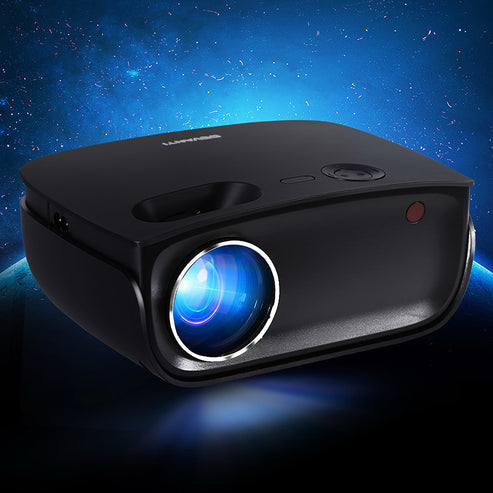
A projector screen is not a projector, and a speaker connection must suit the source that drives it. List the devices in the signal path and the ports each one provides. This avoids choosing accessories that fit physically but do not carry the intended audio or video signal.
Shop the collection
-
TV Cabinet Entertainment Unit Stand with Storage Drawer Scandinavian - 180cm Oak
Regular price $106.90 AUDRegular priceUnit price per$199.99 AUDSale price $106.90 AUDSale -
TV Stand Entertainment Unit Cabinet Storage Drawer Shelf 180CM - Wooden
Regular price $131.90 AUDRegular priceUnit price per$266.99 AUDSale price $131.90 AUDSale -
TV Stand 189cm RGB LED Cabinet Entertainment Unit Gloss Furniture Drawers Tempered Glass Shelf - Black
Regular price $167.90 AUDRegular priceUnit price per$256.99 AUDSale price $167.90 AUDSale -
TV Stand Entertainment Unit Storage Cabinet Drawers Shelf 120cm - White
Regular price $83.90 AUDRegular priceUnit price per$142.99 AUDSale price $83.90 AUDSale -
TV Wall Mount Bracket Tilt Flat Slim LED LCD Plasma - 42-90 Inch
Regular price $32.90 AUDRegular priceUnit price per$54.99 AUDSale price $32.90 AUDSale -
Laser Mini Karaoke Speaker with 2 Wireless Mics - Pink
Regular price $13.90 AUDRegular priceUnit price per$19.95 AUDSale price $13.90 AUDSale -
Laser Foxtel iQ Replacement Remote Control
Regular price $10.90 AUDRegular priceUnit price per$19.95 AUDSale price $10.90 AUDSale -
TV Entertainment Unit - White
Regular price $88.90 AUDRegular priceUnit price per$157.99 AUDSale price $88.90 AUDSale -
Crosley 5 In 1 Record Cleaning Set & Crosley Record Storage Crate Bundle
Regular price $81.90 AUDRegular priceUnit price per$99.95 AUDSale price $81.90 AUDSale -
Crosley Record Storage Crate
Regular price $80.90 AUDRegular priceUnit price per$98.95 AUDSale price $80.90 AUDSale -
Projector Screen with Stand, 80 Inch 160° Wide Angle Indoor Outdoor Projection Screen, 16:9 4K HD Wrinkleless Portable Tripod Screens with Carry Bag, for Movie Home Theater Office Presentation
Regular price $102.90 AUDRegular priceUnit price per$94.90 AUDSale price $102.90 AUD -
Projector Screen with Stand, 80 Inch 160° Wide Angle Indoor Outdoor Projection Screen, 16:9 4K HD Wrinkleless Portable Dual-Stand Screens with Carry Bag, for Movie Home Theater Presentation
Regular price $84.90 AUDRegular priceUnit price per$77.90 AUDSale price $84.90 AUD -
TV Stand Mount, Swivel Universal TV Stand for 32 to 55 inch TVs, Living Room
Regular price $60.90 AUDRegular priceUnit price per$62.99 AUDSale price $60.90 AUDSale -
Laser Foldable Bluetooth Headphones with Mic Black
Regular price $16.90 AUDRegular priceUnit price per$29.95 AUDSale price $16.90 AUDSale -
The Beatles - 1 - Double Vinyl Album & Crosley Record Storage Display Stand
Regular price $129.90 AUDRegular priceUnit price per$139.95 AUDSale price $129.90 AUDSale -
Sloth Wireless Speaker
Regular price $46.90 AUDRegular priceUnit price per$57.99 AUDSale price $46.90 AUDSale -
Sade The Best Of Sade Vinyl Album & Crosley Record Storage Display Stand
Regular price $121.90 AUDRegular priceUnit price per$149.95 AUDSale price $121.90 AUDSale -
The Cure Greatest Hits - Double Vinyl Album & Crosley Record Storage Display Stand
Regular price $105.90 AUDRegular priceUnit price per$129.95 AUDSale price $105.90 AUDSale -
Ac/Dc High Voltage Vinyl Album & Crosley Record Storage Display Stand
Regular price $105.90 AUDRegular priceUnit price per$129.95 AUDSale price $105.90 AUDSale -
Paul Simon Graceland Vinyl Album & Crosley Record Storage Display Stand
Regular price $105.90 AUDRegular priceUnit price per$129.95 AUDSale price $105.90 AUDSale -
Blue Disco Ball Wireless Speaker
Regular price $34.90 AUDRegular priceUnit price per$44.99 AUDSale price $34.90 AUDSale -
10000+ Games R36H Portable Video Game Consoles Retro Handheld Game Console White
Regular price $81.90 AUDRegular priceUnit price per$139.98 AUDSale price $81.90 AUDSale -
Kylie Disco - Black Vinyl Album & Crosley Record Storage Display Stand
Regular price $105.90 AUDRegular priceUnit price per$129.95 AUDSale price $105.90 AUDSale -
For Apple AirPods pro and pro2 Case Armor Earphone Heavy Duty Shockproof Cover - Black&Red For Airpods Pro
Regular price $14.90 AUDRegular priceUnit price per$17.76 AUDSale price $14.90 AUDSale


Related reading


Useful answers
Audio, TV & Home Entertainment: practical questions
What should I plan before buying a home entertainment setup?
Start with the viewing position and the devices you already own. Then plan screen support, sound, connections and storage together. Leave access to controls and rear ports, so the cabinet or bracket does not make ordinary cable changes difficult once everything is installed.
Can I put every entertainment device inside a closed cabinet?
Check each device’s ventilation and remote-control requirements before enclosing it. Shelves and doors may block airflow or access to controls. Choose storage around the equipment’s operating needs as well as its size, with practical room to reach the rear connections.
How do I avoid missing a component when assembling a movie setup?
List the source, display or projector, viewing surface, sound equipment and connections separately. A projector screen does not create an image, and a bracket does not include a television. Confirm each item’s function and package contents before assuming an illustrated setup is supplied complete.