
Choose the connection from one end to the other
Computer Cables & Networking Accessories
Cables that look similar can carry different signals, speeds and power levels. Start with the two devices you want to connect and the job the connection must perform. Then select the ports, cable length and supported capability as a complete chain, including any hub or adapter.

Shop the collection
-
9U Wall Mount Network Server Cabinet, 39.37 cm Deep, Server Rack Cabinet Enclosure, 90.7 kg Max. Ground-mounted Load Capacity, with Locking Glass Door Side Panels, for IT Equipment, A/V Devices
Regular price $167.90 AUDRegular priceUnit price per$154.90 AUDSale price $167.90 AUD -
Multi Function SIM Card Memory Card Storage Box Waterproof Shockproof Portable
Regular price $31.90 AUDRegular priceUnit price per$38.35 AUDSale price $31.90 AUDSale -
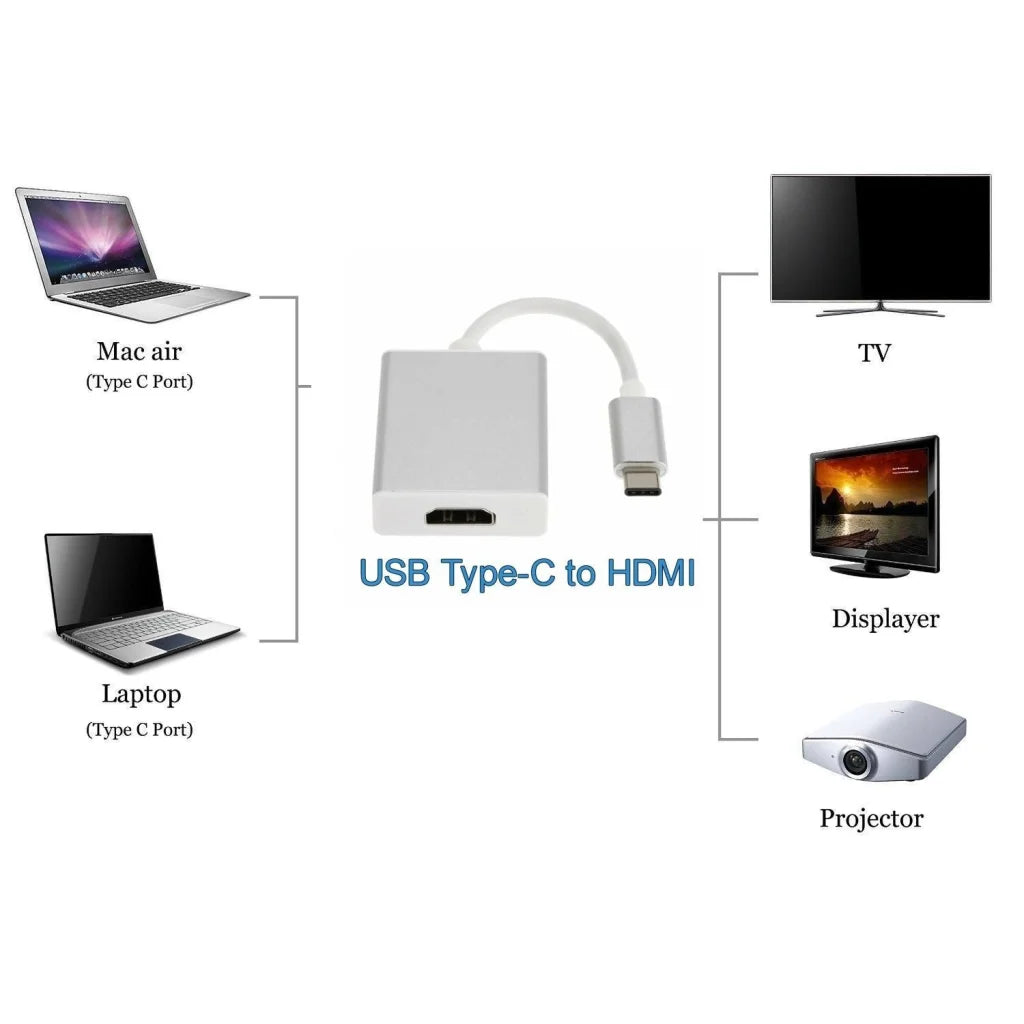
Type C USB-C Adapter Cable Converter USB 3.1 to HDMI HDTV 1080P
Regular price $18.90 AUDRegular priceUnit price per$19.95 AUDSale price $18.90 AUDSale -
CHOETECH HUB-M43 7-in-1 USB-C Multiport Adapter with Foldable Laptop Stand
Regular price $84.90 AUDRegular priceUnit price per$109.95 AUDSale price $84.90 AUDSale -
USB-C to HDMI Cable 1.8M (6ft) 4K@30Hz - Simplecom DA321
Regular price $30.90 AUDRegular priceUnit price per$40.95 AUDSale price $30.90 AUDSale -
Type-C to HDMI 1.5M Cable - White (30841)
Regular price $42.90 AUDRegular priceUnit price per$54.95 AUDSale price $42.90 AUDSale -
Printer Cable ASTROTEK USB 2.0 5m Type A Male to Type B Male Transparent CBUSBAB5M
Regular price $24.90 AUDRegular priceUnit price per$27.99 AUDSale price $24.90 AUDSale -
Battery Adapter MT20RNL for Makita Li-ion Batteries Convert to Ryobi 18V Tools
Regular price $33.90 AUDRegular priceUnit price per$58.00 AUDSale price $33.90 AUDSale -
Super speed Usb 3.0 Male To Female Data Cable Extension Cord For Laptop Pc Camera - 5M
Regular price $26.90 AUDRegular priceUnit price per$32.93 AUDSale price $26.90 AUDSale -
1M/2M/3M/5M Ethernet Network Lan Cable Cat6 1000Mbps Used For Network Link Au - 3M
Regular price $10.90 AUDRegular priceUnit price per$12.21 AUDSale price $10.90 AUDSale -
Jasoz Cat5E Ethernet Network Cable Lan Router Internet Patch 1 2 3 5 10 15 20M - 3 m
Regular price $13.90 AUDRegular priceUnit price per$16.32 AUDSale price $13.90 AUDSale -
Dual USB Portable Electric Plug Power Socket Adapter International Travel Universal Charger Converter EU UK US AU
Regular price $22.90 AUDRegular priceUnit price per$34.99 AUDSale price $22.90 AUDSale -
Cygnett Essentials Lightning to USB-A Cable 1M - White
Regular price $27.90 AUDRegular priceUnit price per -
Samsung 50W Duo FAST Charge 2.0 Wall Charger with 1.8M LONG USB-C to USB-C Cable - Black
Regular price $86.90 AUDRegular priceUnit price per -
SSD Serial Cable High Speed SATA Connector for Laptop Desktop Data Transfer - Bend straight
Regular price $10.90 AUDRegular priceUnit price per$12.40 AUDSale price $10.90 AUDSale -
Google USB-A to USB-C Cable for PIXEL 7/6/5/4/3 - Data + Charging Cable
Regular price $17.90 AUDRegular priceUnit price per -
Samsung Galaxy USB-C to USB-C Charging + Data Cable - White (All USB-C Phones)
Regular price $11.90 AUDRegular priceUnit price per -
High Speed Usb 2.0 Data Extension Cable Type A Male To Male M-M Connection Cord - 1.5M
Regular price $15.90 AUDRegular priceUnit price per$19.18 AUDSale price $15.90 AUDSale -
Usb Extension Data Cable 2.0 A Male To A Female Long Cord For Macbook & Computer - 10 m
Regular price $25.90 AUDRegular priceUnit price per$31.72 AUDSale price $25.90 AUDSale -
2 x 2400W High Powered Dual USB Charger Adaptor With Surge Protection
Regular price $36.90 AUDRegular priceUnit price per$99.95 AUDSale price $36.90 AUDSale -
Fast Ethernet Network Cable CAT6 1000Mbps Internet RJ45 1 2 3 10 15 20 30 50m - 2M
Regular price $14.90 AUDRegular priceUnit price per$17.39 AUDSale price $14.90 AUDSale -
Samsung Micro USB Cable - White
Regular price $10.90 AUDRegular priceUnit price per -
1M/2M/3M/5M Ethernet Network Lan Cable Cat6 1000Mbps Used For Network Link Au - 5M
Regular price $13.90 AUDRegular priceUnit price per$16.52 AUDSale price $13.90 AUDSale -
Mcdodo Fast Usb Cable Heavy Duty Charging Syn Charger Iphone 90 Degree Angle - 3m
Regular price $26.90 AUDRegular priceUnit price per$32.93 AUDSale price $26.90 AUDSale




Related reading

Identify the signal before the plug
A cable may be intended for charging, USB data, Ethernet networking or a display connection. Connector shape alone does not establish all those functions. A USB-C charging lead, for example, should not be assumed to carry a monitor signal unless that capability is stated for the cable and devices.
Use a practical cable length
A cable that barely reaches can pull on a socket when equipment moves. Excess length creates loops that are harder to organise. Measure the actual route around furniture and leave service slack, particularly for a rising desk or swivelling display, without stretching the connection.
Understand what an adapter does
A travel plug adapter changes the connection to a wall socket; it does not automatically convert voltage. A USB hub adds ports but may divide available power or data bandwidth. Choose the accessory's stated function and supported devices, not just the number of sockets visible in the photograph.
Further reading: USB-IF: USB-C capability and terminology
Further reading: Hammond Manufacturing: line transformer selection
Useful answers
Computer Cables & Networking Accessories: practical questions
Why can a USB-C cable charge a laptop but fail to connect a monitor?
Charging and display transmission are separate capabilities. The source port, cable and display connection must all support the intended video signal. A USB-C connector alone does not establish that support, so choose the cable for its stated function as well as its ends.
How should I measure the cable length needed behind a desk?
Follow the actual route around furniture and between the ports, then allow movement and accessible connections. Include the raised position of an adjustable desk or the turn of a screen. A straight-line measurement can leave a cable pulling tight when the equipment moves.
Does an adapter convert the signal or only change the connection?
It depends on the adapter. Some change a physical connector; others perform a specified conversion or add ports with shared resources. Identify the direction and function required. In particular, a travel plug adapter should not be assumed to convert the appliance’s operating voltage.