On this page
Fit the chair to the user and desk
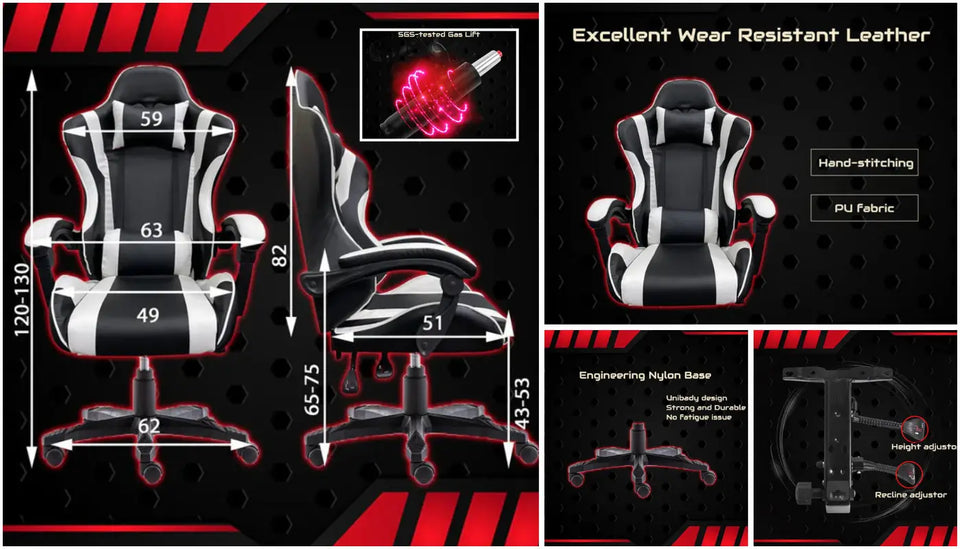
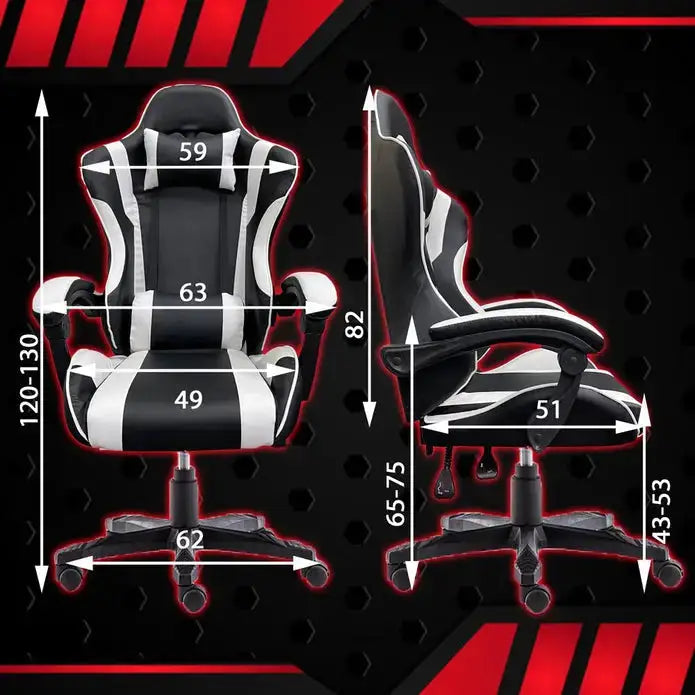
Compare a gaming chair's usable seat width, depth and height range with the person and work surface. Check backrest height and arm clearance beneath the desk. A large-size label does not establish fit for every tall user or a higher load limit than another chair.
Read the actual adjustments
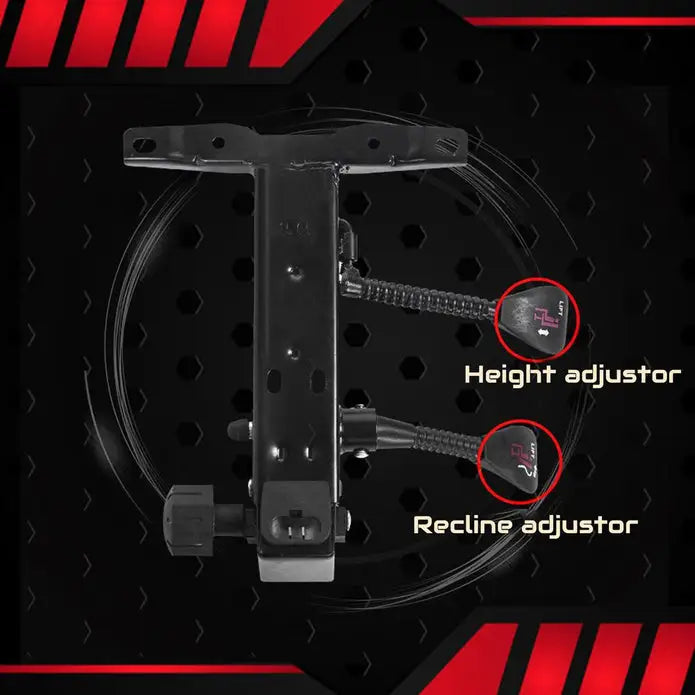
Confirm the permitted recline range, tilt controls and locking positions for the selected model. Allow the space needed behind and beneath the chair throughout its movement. Use its controls as described rather than assuming all racing-style chairs recline, rock or lock in the same way.
Check floor and upholstery requirements
Compare the base footprint and castor type with the floor. Read the upholstery composition and care instructions; PU does not automatically mean heat-resistant, breathable or more durable than other finishes. Check assembly and stated user load separately.
Choose comfort without medical promises
Padding, lumbar cushions and a headrest provide features to assess, not guaranteed posture correction or relief from back or neck problems. Comfort varies by user and task. Choose a practical arrangement that allows changes of position, and compare documented dimensions before colour, styling or claims about long gaming sessions.